
The best platforms for your architecture portfolio

The most suitable platforms for presenting the architecture portfolio are, depending on the objective:Behancefor quick visibility into the creative community,WebWavefor a free website with its own domain,Canvafor quick layouts in PPTX or PDF format,Adobe InDesignfor quality printed portfolios,Google Slidesfor simple collaboration and sharing,Issuu / FlipHTML5for interactive flipbook publications,GraphicRiverfor ready-to-customize premium templates andPowerPoint (PPT)for offline presentations compatible with any recruiter.
Here's a quick overview:
- Behance— best for exposure and discovery in the design community
- WebWave— best for students who want a free portfolio site with SEO upgrade option
- Canva— best for quick creation of PPTX, Slides and PDF layouts
- Adobe InDesign— best for high print and print quality PDFs
- Google Slides— best for quick presentations, real-time collaboration and online sharing
- Issuu / FlipHTML5— best for interactive digital catalogue portfolios
- GraphicRiver— best for quick purchase of premium templates (PSD, INDD, PPTX)
- PowerPoint (PPT)— best for offline presentations and quick referral to employers
Key <x id="1"/>Takeaways
Choosing the right platform for your architecture portfolio depends on the objective: quick visibility, long-term brand control or print quality for formal applications.
|
Subiect |
Detalii |
|---|---|
|
Visibility platforms |
Behance and Issuu provide quick exposure in creative communities at no upfront cost. |
|
Own brand website |
WebWave or Archifolio with their own domain give SEO control and long-term professional identity. |
|
PDF format for applications |
Exports PDF under 10MB with optimized images; Adobe InDesign offers the highest typographic quality. |
|
- Portfolio structure. |
8–12 narratively ordered projects, with your explicit role and technical images alongside renderings. |
|
SelfDezign |
Interior design studio that turns portfolios into real projects for commercial spaces, offices and clinics. |
Which architecture portfolio platforms suit your goal?
The choice is not universal. A platform that works perfectly for a student applying at a Vienna office may be completely unsuitable for an architect who wants to attract private clients through organic search. Hosted platforms provide quick visibility, while proprietary sites give you full control over your brand, SEO, and long-term conversions. This distinction is the backbone of any platform decision.
A few practical notes:WebWave allows free publishing, but its own domain and advanced SEO settings require a paid plan. Issuu and FlipHTML5 offer plans with limited free functionality, including some restrictions. Adobe InDesign only offers paid plans, but remains the standard for typographic-quality PDFs. Prices are indicative in EUR, the reference currency for Central Europe.
How to use each platform as an architect: short profiles and when to choose
Behance
Behance is Adobe's community network for creative professionals with millions of publicly visible projects. You choose it when you want to be discovered by recruiters or customers actively looking for the platform. The workflow is simple: create a project, upload images in narrative order, add a brief, and publish. The main limitation for architects is that you cannot control the page layout or add your own domain, and large PDFs do not publish directly.
Attention to copyright:any project published on Behance remains publicly visible. If you work on confidential projects, check your contract with the client before publishing renderings or plans.
WebWave
WebWave is a drag-and-drop editor web builder that allows you to create an online portfolio for free, with paid options for your own domain and SEO optimization. It is the practical choice for students who want a functional site at no initial cost, but with the opportunity to grow. Upload projects as image galleries, add text, and export or publish directly to the web.
Canva
Canva offers an extensive library of templates, including a template specific to the architecture portfolio in presentation format. You choose it when you quickly need a PDF or PPTX for an office application. Actual limitation occurs on files with high-resolution renderings: automatic compression can affect visual quality.
Adobe InDesign
InDesign is the professional standard for the layout of printed portfolios and quality PDFs. The typographic control, master page management and PDF/X export options are unmatched. The learning curve is significant, but for a portfolio intended for applications at international offices or competitions, the final quality justifies the time investment.

Google Slides
Google Slides is free, accessible from any device, and enables real-time collaboration. You choose it for quick presentations, teacher or peer reviews, and link sharing. It is not suitable for a personal brand portfolio, but as a daily work tool or for project presentations, it is hard to beat through simplicity.
Issuu and FlipHTML5
Both convert a PDF into an interactive flipbook viewable in the browser. FlipHTML5 is listed on Capterra with reviews highlighting the editorial functionalities for digital publications, and G2 reviews for FlipHTML5 discuss the editing experience and sharing options. You choose them when you want to submit a project catalog that looks like a magazine, not an attachment. The free plan includes watermark on Issuu; FlipHTML5 also has limitations on the number of free publications.
GraphicRiver
GraphicRiver is a marketplace of individual templates, not a publishing platform. You buy a PSD, INDD, or PPTX template, customize it in the appropriate app, and use it as the basis for your portfolio. The cost per item varies, but for a student who wants a professional starting point without building the layout from scratch, it is an effective solution.
PowerPoint (PPT)
PowerPoint remains the most compatible format for sending a portfolio via email. Almost any recruiter can open it, exporting to PDF is direct and does not require a separate subscription if you already have Microsoft 365. The limitation is that there is no web or organic discovery component.
Professional advice: If you publish projects on platforms with public galleries (Behance, Issuu), add a discreet watermark with your name and year on the main renderings. It does not prevent theft, but makes attribution clear in the event of a dispute.
Where to find templates and what format to choose for your purpose
The format is not an aesthetic decision, but a functional one. A PDF sent to a recruiter in Berlin must be under 10 MB and open correctly on any system. A website needs to load quickly on mobile. A presentation for a customer requires an editable format, not a static file.
|
Format |
When you use it |
Advantages for architecture |
|---|---|---|
|
|
Applications to jobs, contests, email |
Universal, keep layout, easy to send |
|
INDD (InDesign) |
Printed portfolios, professional publications |
Maximum typographic control, quality PDF/X export |
|
PPTX |
Quick presentations, collaboration, easy editing |
Editable, Broadly Compatible, Simple PDF Export |
|
PSD |
Mockups, views, graphic templates |
Editable layers, high resolution |
|
HTML / website |
Permanent online portfolio, SEO, personal brand |
Accessible at any time, indexable by search engines |
Free and paid template sources you can use directly:
- GraphicRiver— individual premium templates (PSD, INDD, PPTX), cost per item
- Canva— Free and Pro templates for presentations and PDFs
- Google Slides— free templates, editable online
- Archifolio—specialized builder for architectswith templates tailored for large renderings and PDF export
- Kleap—aI generator for architect sites, includes hosting and mobile optimization from the start
- Aginera—platform that generates portfolio pagesfrom a PDF drawing or plan, reconstructing a 3D model and a publishable page
Practical image specifications:minimum resolution 150 dpi for PDF print, 72–96 dpi for web. Optimized WebP and JPEG formats reduce file size without significant visible loss. A portfolio PDF for employers is preferable to be moderately sized to be easy to send and view in two thematic documents.
Cursul Designing architecture portfolios with the help of artificial intelligence on Domestikashows how AI tools can accelerate project selection, improve renderings, and generate consistent layouts, significantly reducing the build time of a portfolio.
Choosing the right platform based on your goal
Before opening any publisher, answer these questions:
- Who will see the portfolio?Recruiters in an architecture office, private clients, teachers or the jury of a competition have different expectations of format and depth.
- What is the main purpose?Job application, public display, presentation for a customer or print for an event.
- Do you need your own domain?If you want to be found through Google with your name, a site of your own is the only real solution.
- How many projects will you show?A portfolio of 8–12 well-documented projects is more effective than 30 shallow projects.
- What's your monthly budget?There are completely free solutions (Behance, Google Slides, WebWave basic plan), but complete brand control costs.
Selection criteria
- Visibility and discovery:Behance, Issuu
- Brand Control & SEO:WebWave, own website (Archifolio, Kleap)
- Professional print and PDF quality:Adobe InDesign, GraphicRiver (templates)
- Speed & Collaboration:Canva, Google Slides, PowerPoint
- Interactive catalogue portfolio:Issuu, FlipHTML5
Signals that a platform doesn't fit your architecture portfolio
- Automatically compresses images below the resolution required to show technical details
- Does not allow to add own domain or SEO metadata
- Limit PDF size to values that exclude drawings or quality renderings
- No control over page layout (text, images, spacing)
- Add watermark or ads on the free version, affecting the professional look
How to structure an efficient architecture portfolio
A good portfolio is not a gallery of beautiful images. It's a narrative about how you think, how you solve problems, and what role you played in each project.
Essential Steps
- Select 8–12 projectscovering different typologies (residential, commercial, competition, academic study) and showing your evolution.
- Order narrative, not chronologically. Start with the strongest project, not the first in your career.
- Build a project pagewith: title, year, type of project, your role, a short brief (3–5 lines), key images, technical captures (plan, section, detail) and the result or stage of the project.
- Add an introduction pagewith your name, a professional photo, a short paragraph about your approach and contact details.
- Create two versions:one for the web (optimized images, public link) and one for print or email (PDF below 10 MB, resolution 150 dpi).
Template for project page
- Project Titleand location
- Anand stage (concept, technical project, realized)
- Tipologie(residential, office, hospitality, public space)
- Your role(lead author, collaborator, trainee)
- Short brief:what problem the project solves
- 3–5 key images(main rendering, plan, significant detail)
- Result or feedbackof if there's...
Export checklist
- PDF under 10MB for reference to employers
- WebP or JPEG images optimized for web version
- 150 dpi resolution for print, 72–96 dpi for web
- Check that fonts are embedded in PDF
- Test public link on mobile before sending it
SelfDezign technical and aesthetic checklist for architectural portfolios
A weak portfolio is not necessarily one with weak projects. Most often, the problem is technical or narrative.
Technical checklist
- Site speed: non-optimized images are the number one cause of a slow site
- Image format: WebP for web, quality JPEG for PDF
- Lazy loading enabled for galleries with many renderings
- Meta descriptions and ALT titles for each image (helps SEO and accessibility)
- PDF under 10MB for employers; high quality separate version for print
- Your own connected domain and active SSL certificate for your personal site
- Mobile testing: most recruiters open links on their phone
Visual design and narrative
- Sequence projects with clear logic: from macro to detail inside each project
- Balance images with text: a page with 80% text gets tired, one with 100% images does not communicate
- Use negative space deliberately, not as a filler
- Neutral colors in the layout to avoid competing with project renderings
- The cover image is the first impression: choose a rendering that shows complexity and quality, not a study sketch
Common errors in architecture portfolios
- Too much explanatory text per page, no clear visual hierarchy
- Poor or irrelevant cover image for project typology
- Lack of your explicit role in the project (recruiters want to know what you did, not the team)
- Projects without year or stage (completed vs. concept)
- Inconsistent formats between projects (some landscape, others portrait, no logic)
Tip: Before exporting the final PDF, open it on a different screen from the one you created. Color compression and calibration differ between monitors, and a rendering that looks good on your laptop may look washed out on a recruiter's screen.
What to Choose in 60 Seconds: Quick Recommendation
Three clear scenarios:
- You want visibility and to be discovered by recruiters or clients:publish on Behance and fill in with a LinkedIn profile that points to the portfolio.
- You want full brand control and an indexable site in Google:choose WebWave with a paid plan or a dedicated builder like Archifolio that offers templates optimized for large renderings and PDF export.
- You quickly need a PDF or PPTX for an app:Canva or Google Slides are sufficient; for typographic quality, Adobe InDesign.
When you're ready to invest in your personal brand, having your own domain website is the next logical step, anddigital platforms for managing interior projectscan complete the professional workflow.
Why visual and narrative control of your portfolio matters
There is a tendency among architecture students to treat the portfolio as an album of beautiful images. This approach misses the point of the instrument.
An architecture portfolio does not prove that you know how to draw or render. Prove that you understand a brief, that you can make decisions under constrained conditions and that you know how to communicate a project to an audience that was not present in the creative process. The difference between a portfolio that opens doors and one that remains unseen lies not in the number of renderings, but in the clarity of the narrative and visual coherence.
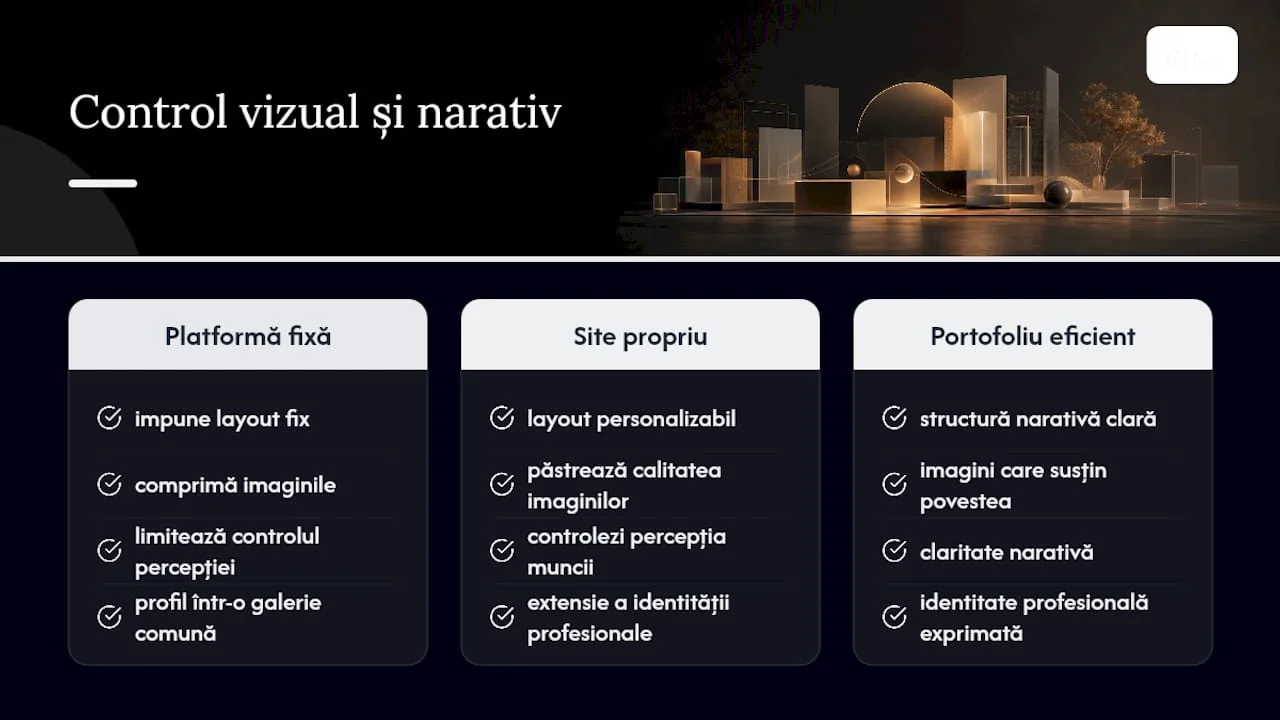
Platform control matters for this very reason. A platform that imposes a fixed layout on you or compresses images limits your ability to control how your work is perceived. A website of your own, with your own domain and structure, is an extension of your professional identity, not a profile in a shared gallery.
At SelfDezign, we see the same principle applied in the design of the spaces: a space that does not clearly communicate the identity and objectives of the customer is not a well-designed space, no matter how beautiful it looks in the photos. Your portfolio works the same way. Structure, selection and platform are design decisions, not secondary technical details.
SelfDezign: from portfolio to real project
If you are an architect or interior designer and your portfolio has started to attract clients for commercial spaces, offices or hotel projects, the next step is to have a partner who understands the stake of the project, not just its aesthetics. SelfDezign designs and implements workspaces, commercial spaces and medical clinics in Romania and Europe, focusing on the real context of each client, not on trend formulas. If you have a project tooffice interior designor a commercial space that needs to operate and communicate a clear brand, contact the SelfDezign team for an initial consultation.