
Software and calculators for estimating renovation costs

The most practical options for estimating renovation costs are: a free online calculator for a quick assessment, cost estimating software for detailed, verifiable estimates, or paid consulting when the project carries real complexity or financial risk. The right choice depends on what you need right now.
- Quick estimate (speed): Online calculators such as Calcify or Itiles give you indicative €/sqm ranges in a few minutes. They suit an initial brief or a quick comparison of finish levels.
- Detailed estimate (precision): Estimating software such as Deviz, Kost Plus or WindevRO produces itemized cost estimates that comply with technical standards, with PDF or XLS export. You need it when you bid, sign contracts or manage a real budget.
- Professional validation (assurance): Paid consulting, with a review of the cost estimate and adjustments for the project's specific conditions. Recommended when the investment passes the point where a 15–20% error really matters.
The baseline references for any serious cost estimate in Romania remain the IROVAL catalogs and the rules in Government Decision (HG) 907/2016, which set the structure and content of the technical and economic documentation for construction works.
Key takeaways
The best results in estimating renovation costs come from combining an online calculator for quick orientation, professional estimating software for precision, and a human review when the stakes of the project justify it.
|
Point |
Details |
|---|---|
|
Choose the tool that fits the purpose |
An online calculator for orientation, estimating software (Deviz.ro, Kost Plus) for contracting, consulting for complex projects. |
|
Materials account for 40–60% of the budget |
The share varies with the finish level; check the price source of any tool you use. |
|
Add a contingency of at least 15–20% |
Projects without a contingency almost always exceed the initial budget, especially in older buildings. |
|
Check regulatory compliance |
Executable cost estimates follow HG 907/2016 and use the IROVAL catalogs as their price source. |
|
SelfDezign for professional validation |
SelfDezign consulting turns a digital estimate into a verified cost estimate, adjusted for the real conditions of the project. |
Why is it worth using software to estimate renovation costs?
The practical value of a digital estimating tool is not automation for its own sake. It lies in giving you a verifiable starting point that you can compare with the quotes you receive from tradespeople or contractors.
The immediate advantages are concrete:
- Speed: a per-sqm calculation takes a few minutes instead of hours of manual research.
- Consistency: the same formulas applied the same way, with no variation from one day to the next.
- Estimate export: a PDF or XLS you can send out for comparison or archive.
- Price history: some software keeps earlier versions, which helps when material prices fluctuate.
The limitations are just as real:
- Online estimates are indicative. Without adjusting for material waste (cuts, rejects), without checking local conditions and without a physical inspection, the margin of error can exceed 20–25%.
- Calculator prices do not always reflect regional or seasonal reality.
- Hidden costs (transport, logistics platforms, waste, design changes) do not show up in any standard calculator.
When to use a calculator or software:
- At the initial brief, to understand the order of magnitude of the budget.
- When you request quotes from tradespeople and want to check whether the figures are reasonable.
- When you compare finish levels (budget vs. mid-range vs. premium) before deciding.
- When you build a financial plan for a real estate investment.
Our advice: Use two tools at the same time: an online calculator for the indicative range and professional estimating software (Deviz.ro or Kost Plus) for the item-by-item check. The difference between the two results shows you exactly where the estimating risks are.
Which factors influence the final price of a renovation the most?
The final price of a renovation is not a simple sum of materials and labor. It is the result of several interacting variables, and ignoring just one of them can lead to significant budget overruns.
Key factors to take into account:
- Usable floor area — the basis of any calculation, but not enough on its own.
- Initial condition of the space — an older building with uneven walls or outdated utilities adds significant costs compared with new construction.
- Technical complexity — the number of electrical runs, water points and structural changes.
- Finish level — the difference between basic and premium finishes can double the total cost of materials.
- Installed equipment — air conditioning, mechanical ventilation, automation systems.
- Construction site accessibility — an upper floor with no elevator, a narrow courtyard, restricted working hours.
- Deadlines — rush work comes with higher labor rates.
- Material waste — when cutting tiles, parquet or stoneware, typical waste is 10–15%, sometimes more for diagonal patterns.
Share of materials in the budget: According to Calcify data, materials make up a significant share of the total renovation budget, varying with the chosen finish level. With basic finishes, labor can take a larger share; with premium finishes, materials dominate the budget.
Costs often left out of initial estimates include material transport (especially for large quantities or deliveries to upper floors), logistics platforms for waste, regional price differences and adjustments caused by design changes along the way. A redecorating project without demolition has a different cost structure from a full renovation, precisely because it removes some of these variables.
How to calculate costs correctly: methods professionals use
There are four main calculation methods, each with a different level of precision and a specific context of use.
Per-sqm calculation (indicative): The fastest, suited to initial estimates. You apply an average rate per square meter for the type of work and the finish level. The result is a range, not an exact figure.
Itemized cost estimate (detailed): Each job is broken down into items: materials, labor, equipment, transport. This is the method used in professional software and in documentation that complies with HG 907/2016. Precision is high, but it takes time and correct input data.
Daily or hourly rate (specialists): Used for independent tradespeople or consultants. Useful when you cannot estimate the exact volume of work but know the approximate duration.
Integrated pre-costing: Combines materials, labor and equipment in a single structured document, with the option to track estimated against actual. This is the approach in software such as WindevRO or Nexus ERP.
Steps for a correct calculation
- Measure the surfaces accurately: length, width and height for each room. Note wall, floor and ceiling areas separately.
- Select the type of work for each area: demolition, masonry, finishes, utilities, doors and windows.
- Choose the finish level (budget, mid-range, premium) and check whether the calculator's prices match the current market.
- Apply material waste (10–15% as standard, more for complex patterns) and add a contingency of at least 15–20% for unforeseen costs.
- Check the applicable rules: HG 907/2016 for the structure of the cost estimate, the IROVAL catalogs for reference prices.
Practical example for a 6 sqm bathroom:
Floor area: 6 sqm. Wall area (10 m perimeter × 2.6 m height): 26 sqm, minus door and window openings, approx. 22 sqm net. Mid-range finish: floor tiles + wall tiles + standard sanitary fixtures + plumbing. The result is a range, not a fixed figure, precisely because labor rates vary by region.
Pro tip: *Always check whether the rates in the cost estimate include or exclude VAT.
Comparison: software and calculators you can use to estimate renovation costs
The Romanian market offers a wide range of tools, from free online calculators to professional estimating software with ERP integration. The key difference is not just the license price, but the type of output you get and how far you can rely on it.

Short profiles:
Kost Plus is the reference tool for technical estimates that require the IROVAL catalogs. If you work on reconstruction or on projects where prices must be justified against a regulatory source, this is the right starting point.
Deviz.ro covers the whole flow from cost estimate to progress payment statement, in compliance with HG 907/2016. It suits designers and contractors who deliver formal documentation.
Nexus ERP turns the cost estimate into a tool for tracking execution: you compare estimated with actual, track inventory and invoice from the same system. Relevant for companies that manage the finances of their works in house.
WindevRO offers more than 6,000 regulatory items and detailed analytical reporting, suited to designers who work with complex bids and pre-costing.
Calcify and similar online calculators (Itiles, DevizRapid, Deccons) are useful for quick orientation, not for executable cost estimates. Their value lies in fast answers and in the ability to compare finish levels without opening any software.
Pro tip: If your project will be contracted or financed, an XLS or PDF export with an itemized cost estimate structure is not optional. An online calculator that offers no export cannot support a contract or a financing application.
How to read a software comparison table: a completed example
Before you use any comparison table, you need to understand what each column means and where the values come from. A table without clear sources is as useful as an estimate without input data.
What each column means:
- Type: separates online calculators (indicative, free) from estimating software (detailed, licensed). This difference determines everything else.
- Coverage: which cost categories the tool includes. A calculator that covers only labor is not comparable with one that also includes materials and equipment.
- Price updates: the source of the prices (IROVAL, INS indices, manual updates) and how often they change. Software with prices updated once a year can fall behind the reality of the market.
- Export: whether you can produce a usable document (PDF, XLS). Without export, the result stays on the screen.
- Access: web (accessible from anywhere) vs. desktop (installed locally, sometimes more stable for large volumes).
- Compliance: whether the tool follows HG 907/2016 or refers to the IROVAL catalogs.
- Licensing: free, monthly subscription or perpetual license.
Completed example: Renovation calculator (Calcify)
|
Column |
Value |
|---|---|
|
Type |
Free online calculator |
|
Coverage |
Materials + labor (indicative, without equipment or detailed waste) |
|
Price updates |
€/sqm ranges updated periodically; does not use IROVAL catalogs |
|
Export |
No PDF or XLS export |
|
Access |
Web, no account required |
|
Compliance |
Indicative; not compliant with HG 907/2016 |
|
Licensing |
Free |
How to check whether the values in a table are correct:
- Test the export directly in the tool: if you cannot find the export button, the column should show "no".
- Check whether the price source is stated explicitly on the vendor's website (IROVAL, INS, in-house updates).
- Look for release notes or update dates: software that does not say when it was last updated raises questions.
How to choose estimating software: clear criteria and warning signs
The decision to pay for an estimating software license deserves a few minutes of analysis first. The criteria below help you avoid the wrong choice.
Main evaluation criteria
- Full coverage: does the tool include materials, labor, equipment and waste, or only one of these categories?
- Price update source: does it refer to the IROVAL catalogs, to INS indices or to its own database? How often is it updated?
- Usable export: PDF and XLS are the minimum. ERP integration matters if you manage several projects at the same time.
- Regulatory compliance: does it follow the structure HG 907/2016 requires for cost estimates? Can you generate progress payment statements?
- Ease of use: how long does it take to enter the data for a 50 sqm project? Are there tutorials or technical support?
Questions to ask the vendor before you buy
- How often do you update prices, and what is the source (IROVAL, INS, another database)?
- Can I export the cost estimate to XLS and PDF with an itemized structure?
- Is there integration with ERP or accounting systems?
- Does the generated deliverable meet the requirements of HG 907/2016?
- Is there a free trial period or a demo?
Signs of trust
- An explicit reference to the IROVAL catalogs on the vendor's website.
- An export demo with a visible cost estimate structure.
- Update notes with concrete dates (the month and year of the latest price update).
- Reviews from designers or contractors, not just from general users.
Warning signs
- Prices with no stated source or no update date.
- No way to export the cost estimate or to adjust waste and local rates.
- An interface that does not let you enter custom items manually.
- No reference at all to technical standards or reference catalogs.
Step-by-step guide to a realistic estimate with a calculator or software
The most common reason a digital estimate turns out wrong is not the tool you chose, but the data you entered. Following the steps below significantly reduces the margin of error.
Steps for a correct estimate
- Prepare a sketch of the space with the real dimensions. If you have a digital floor plan, CalculatorMateriale can automatically detect the outline and the rooms, generating area and quantity estimates as a starting point.
- Check the plan's scale before any calculation. A sketch at the wrong scale produces errors that spread through the whole cost estimate.
- Choose the finish level carefully: budget, mid-range or premium. This choice affects both the price of materials and the complexity of the labor.
- Enter material waste explicitly: at least 10% for standard materials, 15% for patterned or diagonal tiles.
- Add a contingency for unforeseen costs of at least 15–20% of the estimated total. Projects without a contingency almost always exceed the budget.
- Check the exchange rate if the tool shows prices in euros: fluctuations can shift the budget in lei by a few percent.
- Export the cost estimate and review it with a specialist before signing a contract. A 30–60 minute audit with a designer or cost estimator can identify missing items or outdated prices.
Checklist of essential input data:
- Usable area per room (floor, walls, ceiling separately)
- Type of work for each area (demolition, finishes, utilities, doors and windows)
- The chosen finish level
- Number of windows and doors (for calculating joinery and finishes)
- Condition of existing utilities (kept or replaced)
- Access to the construction site and any restrictions
Tip: *Automatic plan detection from a sketch (available in CalculatorMateriale) is useful for quick estimates, but switch to manual measurements when you prepare a cost estimate for contracting.
Indicative budget examples: per-sqm ranges and a sample calculation
The ranges below are indicative and cover the total cost of the renovation (materials + labor), excluding furniture and equipment. The values reflect general market prices; local conditions and the specifics of the project can change these figures significantly.
|—|—|—| | Cosmetic (painting, parquet over existing floor) | indicative €/sqm range | No demolition, minimal work | | Major (replacing finishes, partial utilities) | indicative €/sqm range | Partial demolition, mid-range finishes | | Turnkey (full renovation, good finishes) | indicative €/sqm range | All categories of work | | Designer (premium materials, custom details) | higher indicative €/sqm range | Projects with a concept and supervision |
Indicative source for the ranges: Calcify — Renovation cost calculator. Exact values vary by city, suppliers and the specifics of the project.
Sample calculation: 50 sqm apartment, "turnkey" level
- Usable area: 50 sqm
- Chosen rate: €400/sqm (the middle of the "turnkey" range)
- Base cost: 50 × 400 = €20,000
- Materials (50% of total): €10,000
- Labor (50% of total): €10,000
- Material waste (12%): +€1,200
- Contingency for unforeseen costs (20%): +€4,000
- Estimated total: approx. €25,200
This is a working estimate, not an executable cost estimate. An itemized cost estimate, generated with Deviz.ro or Kost Plus, will detail each item and let you compare it with real quotes.
When software is not enough: the SelfDezign perspective
There is a clear limit to what any digital estimating tool can do, no matter how well it is built. That limit appears exactly where the project becomes complex and the financial stakes rise.
An online calculator or estimating software works with generic data: areas, types of work, finish levels. It does not know that your partition wall is load-bearing, that the existing electrical wiring does not meet current standards, or that your preferred tile supplier has an eight-week lead time.
In an office fit-out or a HORECA fit-out, for example, the cost of a wrong estimate is not only financial but also operational: a space that does not work as it should gets reconfigured at a cost far higher than an initial consultation.
The value of a professional review does not lie in the fact that "someone signed the cost estimate". It lies in spotting missing items, adjusting waste for the real conditions on site and optimizing the sequence of work to avoid costly rework. A good cost estimate is, in the end, the backbone of a well-managed project.
SelfDezign: from digital estimate to executable cost estimate
Online calculators and estimating software give you a solid starting point. But between an indicative range and a cost estimate you can sign a contract on, there is a gap that you cross more safely with a specialist at your side.
SelfDezign offers estimating consulting for residential and commercial projects: cost estimate review, adjustments for waste and the real conditions on site, material recommendations and integration with procurement workflows. We do not work with standard formulas, but with the specific context of each project, whether it is an apartment, an office or a HORECA space.
If you already have an estimate from a calculator and want to know how close it is to reality, or if you are starting a project and want to avoid budget surprises, SelfDezign consulting for residential projects is the concrete next step. You can learn more about how we calculate costs and what a complete project includes in our guide to the cost of an interior design project.
Sources
A credible estimate is not just a sum of prices. It is a document that can be checked, challenged and adjusted, precisely because it rests on transparent sources.
HG 907/2016 sets the structure and content of the technical and economic documentation for construction works funded from public money, but its structure is also used as a reference for private projects. A cost estimate that complies with this decision includes the general estimate, the estimates per structure and the bills of quantities, which makes it verifiable item by item.
The IROVAL catalogs are the reference source for reconstruction prices and cost estimating standards in Romania. Accessible through solutions such as Kost Plus, these catalogs provide periodically updated prices for materials, labor and equipment, organized by category of work. Using them as a price source is a clear sign that a cost estimate is serious.
The price update sources available in professional software include:
- Calcify — Renovation cost calculator
- Deviz
- Nexus ERP — Software for construction and works cost estimates
- Deccons — Labor Cost Calculator
- CalculatorMateriale — sketch calculation
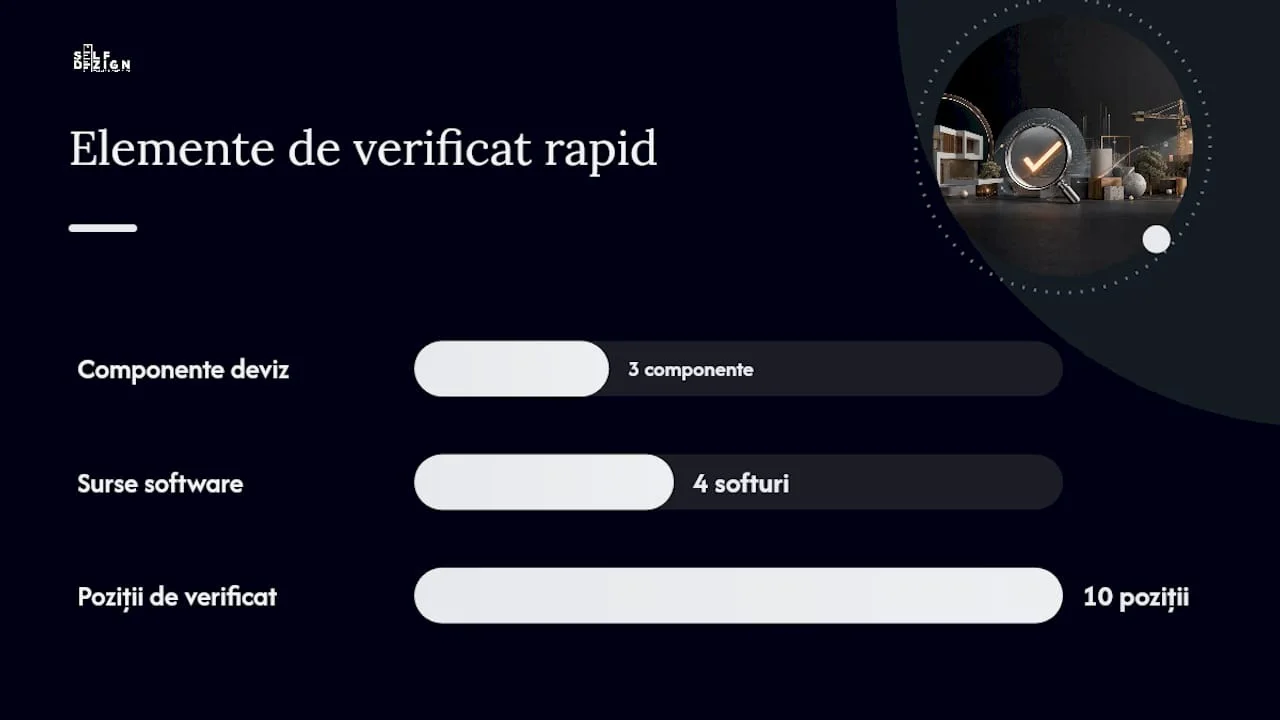
How to check a cost estimate generated by software: Export the cost estimate to XLS, sort the items by value and check the top 10 items as a share of the total. If any of them looks disproportionately large or small compared with your market experience, ask for the price source for that item. A 30–60 minute audit with a specialist can identify systematic errors before they become budget problems.
In practice, a transparent price source is the simplest way to tell a serious tool from an indicative one. If software cannot tell you where its prices come from and when they were last updated, treat the results as a wide range, not as a cost estimate.